USB-C E-Marker Chip Explained: Why Some Cables Handle 240W and Others Don’t

Introduction
A ₹200 USB-C cable can look almost identical to a much more expensive one and still behave completely differently — that’s the problem an E-Marker chip helps solve. This USB-C E-Marker chip explained guide looks at what happens inside the cable and why the chip matters.
The question isn’t whether the cable is USB-C; it’s what that cable is actually built to handle, from power to data to display support. In this USB-C E-Marker chip explained breakdown, we’ll look at how E-Marker chips communicate a cable’s capabilities and when you actually need one.
Quick Highlights
That’s why people get tripped up so often. USB-C has become this universal-looking connector that seems like it should do everything equally well. But here’s the thing: the shape is only part of the story. The real difference is hidden inside the cable, where the wiring, current rating, and electronic marking decide what the cable can honestly support.
Once you understand that, a lot of annoying charging problems start to make sense. A laptop that charges slower than expected. A phone that won’t fast-charge the way you thought it would. A monitor cable that works for power but not for video. It all traces back to what the cable was built to tell the devices connected to it.
What an E-Marker chip actually tells a device
An electronically marked cable is basically a digital ID tag inside the cable, telling the charger and device what the cable can safely support.
That can include USB Power Delivery capabilities, maximum current, USB data-transfer capabilities, USB 3.x or USB4 support, high-speed modes, and even cable characteristics and manufacturer information.
It doesn’t make the cable better on its own; it lets the system stop guessing.
That’s a big deal, because guessing is risky when power gets higher. Devices need to know whether the cable can handle the job before they push more current through it. The E-Marker chip helps create that conversation. It’s a small part, but it acts like the cable’s own voice in the negotiation.
The cable does not become faster just because it has a chip
The chip only communicates capability during USB-C charging negotiation. Actual charging speed still depends on the charger, cable, device, and charging protocol working together.
That’s why a phone can still charge slowly on a cable that technically supports more, and why a 240W charger can’t force a weak cable to deliver power it wasn’t built for.
This is where a lot of confusion starts. People see the word “marked” and assume it means “better” or “faster.” Not really. It just means the cable can identify itself properly. Think of it like a passport, not a superpower. It proves who the cable is and what it claims to support, but it doesn’t magically increase what’s physically possible.
Why USB-C cables need electronic marking at all
USB-C now covers more than basic charging: high charging power, high-speed data, display signals, USB4, Thunderbolt-compatible connections, and multiple alternate modes.
Because the limits vary so much, the system needs a way to tell a basic cable from one meant for higher-power or higher-performance use.
That’s where electronic marking becomes useful instead of optional-sounding marketing.
The connector may be the same, but the job can be wildly different. One cable might only need to move a little power to a phone. Another might be carrying serious wattage to a laptop while also supporting a dock, a monitor, and fast file transfers. Without some kind of identification, the device would have to rely on assumptions. And assumptions are terrible when the hardware is expensive.
Higher power, higher data speed, and display support are separate questions
A cable built for high-power USB Power Delivery may have a very different current-handling limit from one intended for faster data or monitor connections.
So a USB-C-to-USB-C cable can still be a basic cable, even if it looks premium from the outside.
This is one of the easiest mistakes to make. A braided finish, metal tips, and a thick jacket can make a cable feel “high-end,” but those details don’t tell you whether it supports high current, high-speed data, or video output. It’s a little like judging a car by the paint job. Nice to look at, sure. Not enough to know what’s under the hood.
Which USB-C cables need an E-Marker, and which ones don’t
Not every USB-C cable requires one, and that’s an important distinction.
Simpler cables for lower-power operation may not need electronic marking, while cables for higher-power or higher-performance applications often do.
USB-C does not automatically mean E-Marked.
That last point matters more than people realize. A USB-C cable is just the connector family. It doesn’t tell you whether the cable was designed for basic charging, fast charging, high-speed data, or advanced display use. The E-Marker chip is what helps separate those categories when the specs get serious.
What people usually miss when they buy by connector type alone
Two USB-C-to-USB-C cables can differ in charging capabilities, data speeds, display support, USB generations, current ratings, and construction quality.
The connector can be identical while the internal capabilities are completely different.
That’s why buying by appearance alone is such a gamble. The cable in a drawer might be fine for a phone charger but totally underqualified for a laptop dock. You don’t see that difference from the outside, which is why so many people only discover it after something feels “off.”
How to read the labels when you’re buying a cable
The packaging may mention E-Marker, Electronically Marked Cable, 5A, USB PD, USB PD EPR, 100W, 140W, 180W, 240W support, USB4, or specific USB data rates.
But wattage alone never tells the whole story, and a “240W” label does not automatically mean the cable is fast for data too.
The useful question is what the cable supports as a whole, not which number looks biggest on the box.
That’s the trap. Marketing loves big numbers. Real-world use needs context. A cable that says 240W may be excellent for power delivery, but if it’s not designed for a high data standard, it might still be a poor choice for moving files or connecting a high-resolution monitor. Always think in layers: power, current, data, and sometimes display support.
| Label or spec | What it may suggest | What it does not guarantee |
|---|---|---|
| 5A | Higher current handling | USB4 speed or 240W by itself |
| 100W / 140W / 180W / 240W | Power rating support | Fast data transfer |
| USB4 | High-speed data capability | High-power charging by itself |
| E-Marker | Electronic cable identification | Certification or maximum speed |
If you’re standing in a shop or scrolling through product pages, that table mindset helps a lot. Don’t treat one label as the whole story. A cable can be strong in one area and mediocre in another. The good ones usually spell out exactly what they’re meant for, instead of hiding behind a shiny headline number.
Why 240W USB-C charging makes cable quality matter more
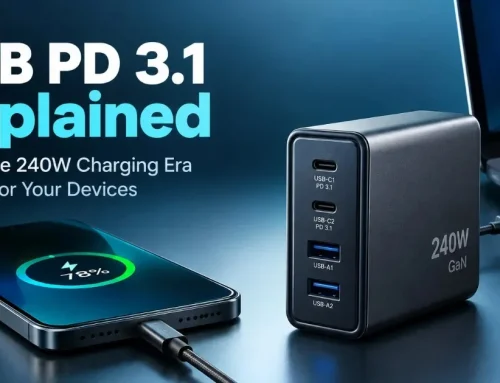
USB PD EPR can reach up to 240W under the right conditions, and that puts much more pressure on the cable’s design.
At that level, the cable isn’t an accessory anymore; it’s part of whether the setup can safely negotiate the power level at all.
An appropriate E-Marked cable helps the USB Power Delivery system decide if the cable belongs in that higher-power conversation.
And that’s the interesting shift. Once power gets that high, cable quality stops being an afterthought. Heat, resistance, current handling, and internal construction all start to matter in a way most people never think about with phone chargers. The cable becomes part of the safety and performance chain, not just the thing connecting two ends.
A 240W-capable charger and laptop still need the right cable in between
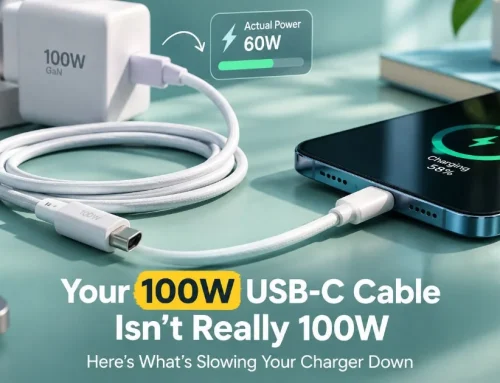
A 240W charger and a 240W laptop do not automatically make the whole chain 240W-ready.
If the cable is not designed for that power level, the system can fall back to a lower mode or simply not deliver the expected speed.
That’s a good reality check. Devices don’t just “pull” whatever they want without negotiation. They look at the whole chain. If one part looks uncertain, the system plays it safer. That may feel frustrating, but it’s better than overheated hardware or unstable charging.
What happens when the cable is the weak link
In most cases, the connection still works — just not at the level you expected.
A high-power charger may charge a device more slowly, and a fast USB device may fall back to a slower data mode if the cable cannot keep up.
That is the practical cost of assuming every USB-C cable is interchangeable.
This is the part people feel in daily life. Your laptop charges, but painfully slowly. Your external drive works, but transfers crawl. Your monitor lights up, but not at the performance you thought you bought. The system isn’t broken exactly. It’s just limited by the weakest piece in the chain.
USB-C cable capabilities are only obvious when they fail
Slow charging, reduced data speed, and weaker display behavior are usually the clues that the cable was never meant for the job you gave it.
That’s why the cable has become part of the system rather than just the wire in the middle.
And honestly, that’s the best way to think about it. In the USB-C world, the cable isn’t passive anymore. It’s a negotiated component. It has a say in what the setup is allowed to do, and when it can’t keep up, the whole experience drops down a notch.
FAQ
These questions usually come from the doubt people still have after they realize USB-C cables are not all the same.
Q: Does every USB-C cable have an E-Marker?
No. Some lower-power cables don’t need one, while higher-power or higher-performance cables often do. USB-C connectors alone do not tell you whether the cable is electronically marked.
Q: Does an E-Marker make a cable charge faster?
No. It only communicates what the cable can handle. Charging speed still depends on the charger, cable, device, and charging protocol working together.
Q: Can an E-Marked cable still be slow for data?
Yes. An E-Marker can sit inside a cable that is mainly built for charging and has limited data performance. E-Marked does not mean USB4 or fastest possible transfer.
Q: How do I know if my USB-C cable supports 240W?
Look for a stated 240W or USB PD EPR rating, check the manufacturer’s technical specs, and don’t rely on wattage alone. Reputable brands and clear documentation matter more than a big number on the packaging.
Conclusion
An E-Marker chip matters because it helps the USB-C system understand what a cable can actually do, especially in higher-power USB Power Delivery setups.
If you’re buying a cable for a laptop, a dock, or 240W charging, stop asking whether it is USB-C and start checking the cable’s real power, current, and data specifications.
That small shift in how you shop saves a lot of frustration later. It helps you avoid slow charging, mismatched accessories, and all those “why isn’t this working properly?” moments that usually come from assuming every cable is the same. In reality, the cable is often the quiet decision-maker in the whole setup.